It sold. Here’s the box.
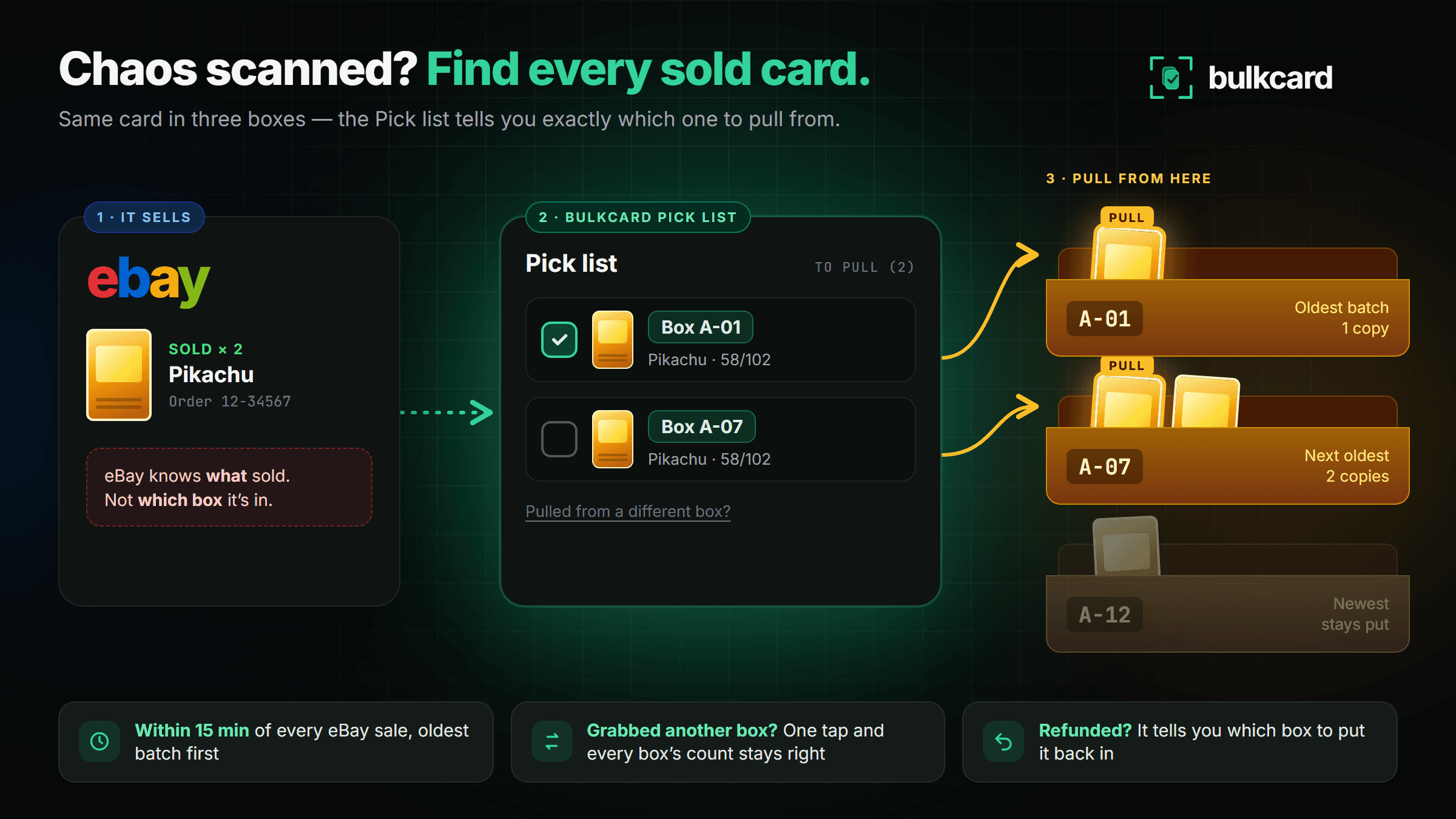
Chaos scanned the same card into three boxes? eBay tells you what sold, never where it is. The Pick list names the exact box for every sold copy.
Set it up in two minutes
- 1
Connect your eBay account
Go to Settings → eBay account in bulkcard and connect eBay. Already publishing through bulkcard? This is done.
Open Settings → eBay - 2
Turn on the pick list
On the same page, under Pick list & sold-copy tracking, tap Turn on the pick list. It reads your last 90 days of eBay sales straight away.
Turn it on - 3
Open Pick list in the menu
Every sale shows the card’s photo and the box to pull it from. Tick each card as you pull it, or mark the whole order done.
Open my Pick list
How it picks the box
Oldest box first
Same card in several boxes? Each copy that sells comes out of your oldest batch first, so old boxes clear out instead of every box keeping one straggler.
Variation listings, sorted
eBay sells every copy of a dropdown option under one custom label. The Pick list names the box for each copy anyway, and each variation listing shows Available copies by box.
Pulled from a different box?
Tap Pulled from a different box? and choose the one you used. If another sale was due to come from that box, the two swap, so every count stays right.
Refunds and cancellations
If a sale is cancelled or refunded after you pulled it, the Pick list tells you which box to put the card back in.
Questions
- Does it change anything on eBay?
- No. It only reads your sales. Your listings, prices and orders on eBay stay exactly as they are.
- How quickly do sales show up?
- Within 15 minutes. Tap Check eBay on the Pick list to look straight away.
- What about cards I listed outside bulkcard?
- They still show, marked Listed outside bulkcard with their eBay custom label, so nothing goes missing from your packing run.
- Which plans include it?
- Every plan. It’s opt-in, so turn it off any time in Settings → eBay.